Ollama 追踪
Ollama 是一个开源平台,允许用户在本地设备上运行大型语言模型 (LLM),例如 Llama 3.2、Gemma 2、Mistral、Code Llama 等。
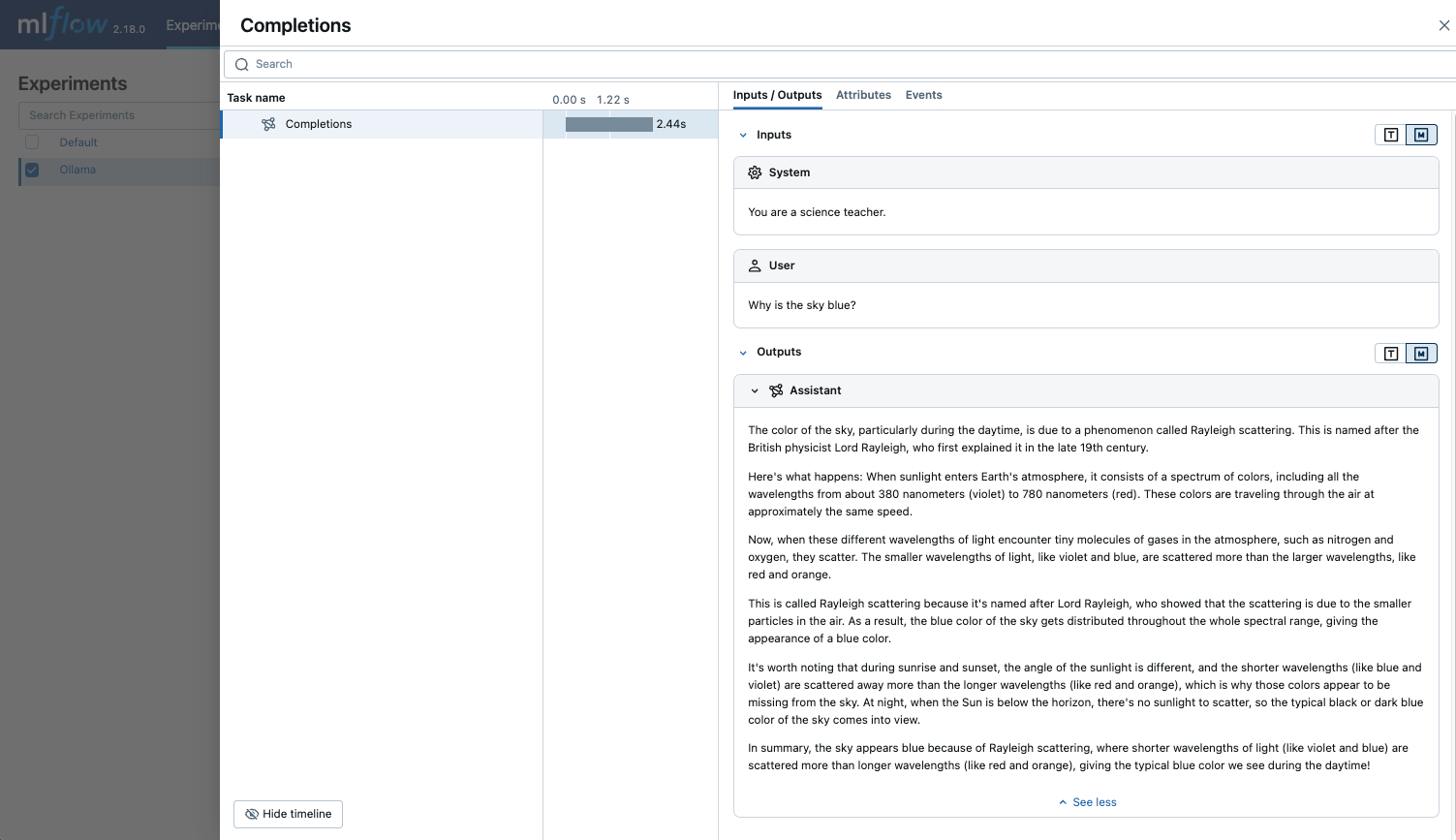
由于 Ollama 提供的本地 LLM 端点与 OpenAI API 兼容,您可以通过 OpenAI SDK 进行查询,并使用 mlflow.openai.autolog() 为 Ollama 启用追踪。通过 Ollama 的所有 LLM 交互都将记录到当前活动的 MLflow 实验中。
python
import mlflow

mlflow.openai.autolog()
示例用法
- 运行带有您期望的 LLM 模型的 Ollama 服务器。
bash
ollama run llama3.2:1b
- 为 OpenAI SDK 启用自动追踪。
text
import mlflow

# Enable auto-tracing for OpenAI
mlflow.openai.autolog()

# Optional: Set a tracking URI and an experiment
mlflow.set_tracking_uri("https://:5000")
mlflow.set_experiment("Ollama")
- 查询 LLM 并在 MLflow UI 中查看追踪。
python
from openai import OpenAI

client = OpenAI(
    base_url="https://:11434/v1",  # The local Ollama REST endpoint
    api_key="dummy",  # Required to instantiate OpenAI client, it can be a random string
)

response = client.chat.completions.create(
    model="llama3.2:1b",
    messages=[
        {"role": "system", "content": "You are a science teacher."},
        {"role": "user", "content": "Why is the sky blue?"},
    ],
)
Token 用量
MLflow >= 3.2.0 支持通过 OpenAI SDK 提供的本地 LLM 端点的令牌使用情况追踪。每次 LLM 调用都会在 mlflow.chat.tokenUsage 属性中记录令牌使用情况。整个追踪过程中的总令牌使用情况可在追踪信息对象的 token_usage 字段中找到。
python
import json
import mlflow

mlflow.openai.autolog()

from openai import OpenAI

client = OpenAI(
    base_url="https://:11434/v1",  # The local Ollama REST endpoint
    api_key="dummy",  # Required to instantiate OpenAI client, it can be a random string
)

response = client.chat.completions.create(
    model="llama3.2:1b",
    messages=[
        {"role": "system", "content": "You are a science teacher."},
        {"role": "user", "content": "Why is the sky blue?"},
    ],
)

# Get the trace object just created
last_trace_id = mlflow.get_last_active_trace_id()
trace = mlflow.get_trace(trace_id=last_trace_id)

# Print the token usage
total_usage = trace.info.token_usage
print("== Total token usage: ==")
print(f"  Input tokens: {total_usage['input_tokens']}")
print(f"  Output tokens: {total_usage['output_tokens']}")
print(f"  Total tokens: {total_usage['total_tokens']}")

# Print the token usage for each LLM call
print("\n== Detailed usage for each LLM call: ==")
for span in trace.data.spans:
    if usage := span.get_attribute("mlflow.chat.tokenUsage"):
        print(f"{span.name}:")
        print(f"  Input tokens: {usage['input_tokens']}")
        print(f"  Output tokens: {usage['output_tokens']}")
        print(f"  Total tokens: {usage['total_tokens']}")
bash
== Total token usage: ==
  Input tokens: 23
  Output tokens: 194
  Total tokens: 217

== Detailed usage for each LLM call: ==
Completions:
  Input tokens: 23
  Output tokens: 194
  Total tokens: 217
禁用自动跟踪
可以通过调用 mlflow.openai.autolog(disable=True) 或 mlflow.autolog(disable=True) 来全局禁用 Ollama 的自动追踪。